One-Time Links vs Password Managers: Which Should You Use?
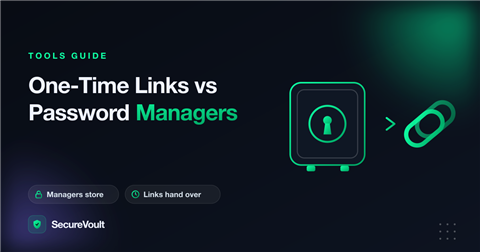
People often ask whether a password manager makes one-time links unnecessary. The honest answer to one-time links vs password managers is that they solve different problems, and many teams end up using both.
What a password manager is for
- Storing every credential you use, behind one strong master password.
- Generating unique passwords so you never reuse one.
- Sharing items with people who are inside your organisation or vault.
- Filling logins in your browser so you do not have to type them.
What a one-time link is for
- Handing a secret to someone who is not part of your team or your tool.
- Sharing something that should not be stored afterwards: a temporary password, a recovery code or a Wi-Fi key.
- Sending a credential when the recipient has no account and you do not want to create one.
- Making sure no copy is left in email, chat or a shared vault.
One-time links vs password managers: when to use which
- A teammate who needs ongoing access to a login: share it in the password manager.
- A client, contractor or guest who needs it once: send a one-time link.
- A temporary credential that you will change anyway: send a one-time link.
- A secret you only need to keep yourself: store it in the password manager.
Using them together
Keep the long-term credentials in the password manager and use a one-time link to deliver a copy to someone outside. Afterwards the manager still holds the master copy and the link has deleted itself.
A worked example
Your agency has a shared analytics account used by the whole team. That login belongs in the password manager, shared with the people who need it, so everyone can fill it in automatically. A freelancer joins for two weeks and needs the same account. Rather than inviting them to your vault, you send a one-time link with a short expiry. They log in, you remove their access when the work ends, and nothing remains in their mailbox or yours.
Both tools did the job they are best at: the manager holds the long-term secret, and the link delivers a temporary copy to someone outside.
Questions to ask before you choose
- Does the person need this credential again next month? If yes, a manager is a better home.
- Is the recipient inside our organisation and our tools? If not, a link avoids creating accounts.
- Do we want a record that the credential is stored? If not, a link that deletes itself is cleaner.
- Can the secret be rotated afterwards? If yes, a short-lived link is a good fit.
Common misunderstandings
- “A password manager already encrypts everything, so links are pointless.” Managers protect stored items, but delivering a secret to someone outside your organisation is a different task.
- “A one-time link replaces a password manager.” It does not store anything, so you still need somewhere to keep passwords you will use again.
- “I can email a link to my vault item.” Check what the link allows and for how long. A link that stays valid is another copy to manage.
Frequently asked questions
Can I use a one-time link instead of a password manager?
No. A one-time link is for delivering a secret once. A password manager is for storing and using passwords over time.
Which is safer for a client who is not on my team?
A one-time link is usually simpler and leaves less behind, because the client does not need an account and the secret is deleted after viewing.
Can I use both?
Yes. Many teams store credentials in a manager and use one-time links to hand copies to outsiders.
A safer way to share secrets
Sharing something with someone outside your team? Create a one-time secret link. By default, SecureVoult shows a secret once and then deletes it, so nothing is left behind in email, chat or tickets.
Keep reading:
Share a secret now
Create a one-time, self-destructing link in seconds. No account needed.
Create a secret link