Why Support Teams Should Stop Pasting Passwords in Tickets
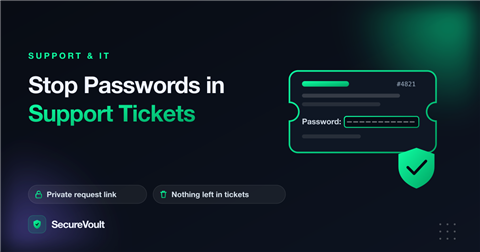
Customers often paste a login straight into a support ticket, because the agent asked them to or because it is the quickest way to get help. Passwords in support tickets turn the queue into a store of credentials that nobody planned to protect.
Why a ticket is the wrong place
- Many agents, managers and sometimes outside vendors can read the ticket.
- Tickets are kept for years and appear in search, reports and exports.
- Notification emails can copy the content into inboxes.
- A customer’s password becomes your data, and your responsibility, the moment it is saved.
What a safer process looks like
- Never ask customers to include a password in the ticket text.
- Send them a request link where they submit the credential privately.
- Let the agent open the credential once, use it, and then let it delete.
- Ask the customer to change the password after the issue is solved.
Clean up what is already there
- Search recent tickets for words such as “password”, “login” and “key”.
- Redact or delete credentials from ticket bodies and attachments.
- Ask affected customers to change those passwords.
Give agents a script
Agents need words they can use quickly: “For your security, please do not send your password in this ticket. Use this private link to share it with us. It works once and then it is deleted.” A short template makes the safer process the easy one.
What good looks like
- Agents never ask for a password in the ticket body.
- Customers get a clear, friendly script that explains why.
- Credentials arrive through a private request link and are viewed once.
- Closed tickets contain no secrets, so reports and exports are safe.
Handling customers who already pasted a password
- Redact the password in the ticket and any email copies.
- Tell the customer, kindly, that you have removed it and recommend they change it.
- Use the safe process for anything further.
Why this is worth the effort
A support queue is one of the busiest, most widely shared systems in a company, and it is often connected to other tools. Keeping credentials out of it reduces what an incident could expose, simplifies compliance conversations and shows customers that you take their data seriously.
Frequently asked questions
Is it okay for customers to send a password in a support ticket?
It is better avoided. Tickets are readable by many people and stored for years. Ask customers to submit credentials through a private one-time link.
What if remote access needs a password?
Use a one-time link or a temporary account created for the session, and remove access when you are done.
How do I clean up old tickets?
Search for common words such as “password” and “login”, redact what you find, and ask affected customers to change those passwords.
A safer way to share secrets
Collect credentials without storing them in tickets. How to collect credentials from clients. By default, SecureVoult shows a secret once and then deletes it, so nothing is left behind in email, chat or tickets.
Keep reading:
Share a secret now
Create a one-time, self-destructing link in seconds. No account needed.
Create a secret link