How Long Should a Secret Link Stay Active?
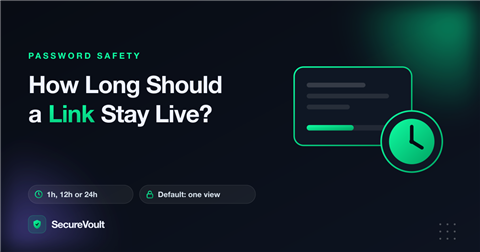
Every secret link has two clocks running against it: the number of times it can be opened, and the time it stays valid. Most people leave both at the default without thinking. That is usually fine, but a few minutes of thought about secret link expiry can shrink the window in which a stolen or forwarded link is useful.
Why expiry matters even for a one-time link
A one-time link deletes the secret after it is opened. But if nobody opens it, the secret keeps waiting. During that time the link sits in an email, a chat message or a ticket, and anyone who can read that message could open it first. Expiry puts a hard end on that waiting period, so an unopened link does not stay live for months.
Start with one question
How soon will the recipient actually open it? The expiry should be a little longer than that answer, and no more. A link that needs to survive a weekend is a different job from one you read out during a phone call.
A simple guide
- The recipient is online right now: choose the shortest option, 1 hour. They open it, copy the secret, and the link is already gone.
- Same working day, different time zone or busy person: 12 hours covers most of a day without leaving the link around overnight.
- You are not sure when they will look: 24 hours is the longest guest option and is a sensible ceiling for a first attempt.
- Handover that genuinely takes days: longer expiry is available on signed-in plans. Pair it with a passphrase, because a link that lives longer has more chances to be seen by the wrong person.
Expiry and view limit work together
The default view limit is one, and for credentials it is almost always the right number. Raise it only when there is a real reason, for example a secret that several teammates must each read once. Each extra view is another person (or another stranger) who could see the secret before it is deleted. If you do raise the view limit, shorten the expiry to match.
What to do when the link expires unopened
- Do not extend or reuse it. Create a fresh link.
- Ask the recipient how they will receive it this time, so you are not just repeating a missed message.
- If the secret was sensitive and the original message was visible to others, treat it as exposed and change the underlying password or key.
Mistakes to avoid
- Choosing the longest expiry “just in case” every time.
- Sending the link and the passphrase in the same message.
- Leaving a multi-view link open for days because nobody wrote down who has opened it.
- Treating expiry as a replacement for changing the password afterwards.
Frequently asked questions
What happens when a secret link expires?
The secret is deleted and the link shows that it no longer exists. It cannot be brought back, so create a new link if the recipient still needs the secret.
Is a shorter expiry always better?
Shorter is safer, but only if the recipient can open it in time. An expired link just creates a second message, so aim for the shortest time that still works for them.
Do I still need to change the password after it is opened?
For anything sensitive, yes. Expiry limits how long the link can be opened; it does not control what the recipient does with the secret afterwards. Rotate it once the work is done.
Can I create a link without an account?
Yes. A one-off text secret does not need an account, and guests can choose 1 hour, 12 hours or 24 hours. Signed-in plans add view limits, passphrases and longer expiry.
Set the time limit when you create the link
Choose the expiry and view limit when you create the secret. By default, SecureVoult shows a secret once and then deletes it, so nothing is left behind in email, chat or tickets.
Keep reading:
Share a secret now
Create a one-time, self-destructing link in seconds. No account needed.
Create a secret link