How to Spot a Fake Password Request
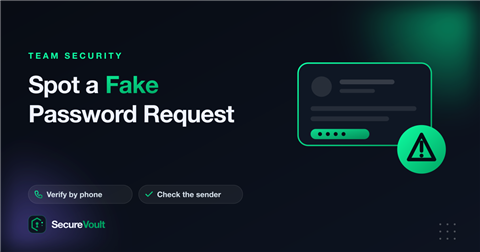
Not every attack on a password is technical. Many start with a message that simply asks for it: from “IT”, from the boss, from a client in a hurry. These requests work because they look ordinary and arrive when people are busy. A few habits make them much easier to catch.
Common disguises
- IT or helpdesk saying your account will be locked unless you confirm your password.
- A senior person asking you to send a login urgently, often while travelling or in a meeting.
- A client or supplier asking you to re-enter your details on a new portal.
- A colleague whose account has been taken over and who asks for access to something.
- A shared document or secret link that opens a page asking you to sign in again.
Warning signs
- Urgency. “Within the hour” or “before the account closes” is designed to stop you thinking.
- A request for the password itself. A real IT team rarely needs to know your current password.
- An unusual channel. A request that normally comes through a ticket suddenly arrives by text or a personal address.
- A sender address that is almost right. One character off, or a different domain behind a familiar display name.
- Pressure to keep it quiet. “Do not tell anyone” is a red flag.
- A link that does not match. The text says one thing and the address behind it says another.
How to verify who is asking
- Stop and do not reply to the message.
- Contact the person through a channel you already trust, such as a phone number you already hold or a message in the usual team chat.
- For IT requests, open a ticket yourself through the normal route rather than using a link in the message.
- Ask a colleague, or the security contact if you have one, to look at it.
- If you cannot verify, treat it as fake.
Make safe habits part of the team
- Agree that nobody will ever ask for a password in a message, and say so in writing.
- Agree a standard route for access requests, such as a ticket.
- When a credential really must be shared, use a one-time link created by the person who owns it, and confirm by phone that it was sent.
- Make it fine to ask “is this real?”, and thank people who do.
If you already replied
- Change the password immediately, and anywhere else you used it.
- Sign out of other sessions and check recent activity and recovery settings.
- Turn on two-factor sign-in if it was not already on.
- Tell your IT or security contact straight away. Reporting quickly matters more than embarrassment.
- Watch for follow-up requests, which often come after a first reply.
A note on links
A link can be a trick too, so look at the address before you open it or type anything into the page. Real one-time links point to the service you expect, and nobody should ask you to sign in again to view one. If a message about a secret link looks odd, check with the sender by another route first.
Frequently asked questions
Would IT ever ask for my password?
Normally not. They can reset an account without knowing the old password. Treat a request for it as suspicious.
What if my boss really needs a login urgently?
Call them on a number you already hold and confirm. A real urgent request survives a thirty-second check.
Is it safe to send a password if I am sure it is a colleague?
Send it as a one-time link rather than pasting it into a message, so it does not stay in chat or email.
Do I need an account to send a one-time link?
No. A one-off text secret does not need an account. Passphrases, view limits and longer expiry are available when you create secrets while signed in.
When a credential has to move, keep it short-lived
If someone has verified they really need access, send it in a way that leaves no lasting copy. By default, SecureVoult shows a secret once and then deletes it, so a credential does not sit in email or chat.
Keep reading:
Share a secret now
Create a one-time, self-destructing link in seconds. No account needed.
Create a secret link