Is It Safe to Text a Password?
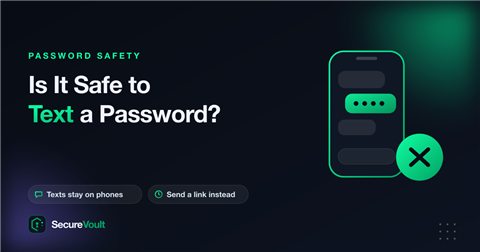
When someone needs a password right now, a text message feels quick and private. It is one person to another, on a phone. But a text is not a sealed envelope. It leaves copies in several places, and it often stays long after the password has stopped mattering.
Where a texted password ends up
- On both phones, in the message history, until someone deletes it.
- On the lock screen, where previews can show the password to anyone nearby.
- In backups, such as phone or cloud backups that copy message history.
- On other devices, because many messaging apps sync to tablets and computers.
- With the carrier or app, which handle the message on its way and may keep records of it.
The risks in plain terms
- A lost or shared phone gives a reader the whole history, searchable by the word “password”.
- SIM-swap and number takeover can let an attacker receive messages meant for someone else. Plain SMS is not protected against this.
- Wrong number mistakes are easy with a quick message, and a sent text cannot be taken back.
- Forwarding and screenshots spread a password further than you meant.
Are messaging apps safer than SMS?
Some messaging apps encrypt messages between phones, which helps against interception on the way. That does not solve the other problems: the password is still stored in the chat history, shown in notifications, and included in backups or synced devices, depending on settings. Treat any message thread as a place where the password will stay.
A safer way to send a password by phone
- Create a one-time link that shows the password once and then deletes it.
- Send the link in the text. The text now holds a link that stops working, not the password itself.
- For something sensitive, add a passphrase and read it out on a call.
- Choose a short expiry, so the link does not sit in the thread for days.
- Ask the recipient to change the password after they sign in.
When you are on the phone with them
If you are talking to the person, you can read a short password aloud. That avoids written copies, but check you are speaking to the right person, avoid public places and change the password later. For a long or random password, a one-time link opened while you are still on the call is easier and less error-prone than spelling it out.
Habits that help
- Check the recipient’s number or contact before you send anything.
- Turn off message previews on the lock screen for apps you use at work.
- Delete old threads that contain credentials, and change those passwords.
- Use disappearing messages only as an extra, not as the main protection.
Frequently asked questions
Is it safe to send a password by text message?
It is risky. The password stays in message history, can appear in previews and may be copied into backups. A one-time link keeps the password out of the thread.
Is WhatsApp or Signal safe for passwords?
Encryption between phones helps in transit, but the password still sits in the chat, backups and notifications. A link that expires is safer than the password itself.
What if I already texted a password?
Change that password, delete the message on your phone and ask the recipient to do the same. Then use a one-time link next time.
Do I need an account to send a one-time link?
No. A one-off text secret does not need an account. Passphrases, view limits and longer expiry are available when you create secrets while signed in.
Keep the password out of the thread
Send a link instead of the password. By default, SecureVoult shows a secret once and then deletes it, so nothing is left behind in your messages, email or tickets.
Keep reading:
Share a secret now
Create a one-time, self-destructing link in seconds. No account needed.
Create a secret link