What to Do When a Client Sends You a Password
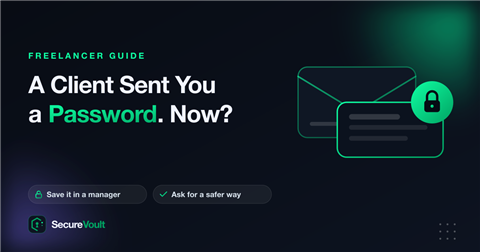
Most advice about passwords is written for the person sending one. If you are the freelancer, agency or contractor on the receiving end, you have your own job: you now hold a credential that can open your client’s accounts, and what you do with it next is part of the work you are being trusted with.
First, look at how it arrived
If the password came in an email, a chat message or a ticket, it is now sitting in that thread. That is not your fault, but it is something to deal with:
- Move the credential into your password manager straight away.
- Do not forward the message, and do not copy it into project notes, tasks or shared documents.
- Once saved, delete the message from your side where you can.
- Note that the original copy still exists on the client’s side and in mail backups.
Store it properly
- Use a password manager with a strong master password and two-factor sign-in.
- Label each entry with the client, the account and the date received.
- Keep client credentials separate from your own.
- Never reuse a client’s password anywhere else.
Use it with care
- Only use the access for the work you were asked to do.
- Prefer signing in on a device you control, with a locked screen and an up-to-date system.
- Avoid public or shared computers and open Wi-Fi for client accounts.
- Do not share it with subcontractors or colleagues without the client’s permission, and ask for separate access for them instead.
Ask the client to change it
A password that travelled in plain text should not stay as it is. Politely ask the client to change it once you have confirmed it works, or to give you your own login instead. A short message does it: “Thanks, I have it saved. For security, could you change it now, or create a separate login for me?”
Ask for a better method next time
Clients do not usually know a safer way unless you offer one. Make it easy:
- Send a request link they can use to submit the credential privately.
- Or ask them to share it as a one-time link that shows the password once and then deletes it.
- Explain in one sentence why: it keeps their password out of email and chat history.
- Add this step to your onboarding checklist for every new client.
Close the loop when the project ends
- Tell the client the work is finished and that you no longer need access.
- Delete the saved credentials and any exports or notes that included them.
- Remove your account from their systems, or ask them to.
- Keep a note of when access began and ended.
Frequently asked questions
Is it okay to keep a client’s password in a spreadsheet?
It is better to use a password manager. A spreadsheet is easy to copy, sync and share by accident.
What if the client refuses to change the password?
Note that you advised it, use the access carefully, and offer again when the project ends. It is their decision.
How should I ask clients to send credentials?
Offer a private request link or ask for a one-time link. Either avoids leaving the password in email or chat.
Do clients need an account to send me a link?
No. A one-off text secret does not need an account. Secret requests need you to be signed in.
Give clients a safer way to send access
You can make secure handover part of how you work. By default, SecureVoult shows a secret once and then deletes it, so a client’s password does not stay in email or chat.
Keep reading:
Share a secret now
Create a one-time, self-destructing link in seconds. No account needed.
Create a secret link