How to Send an SSH Private Key Safely
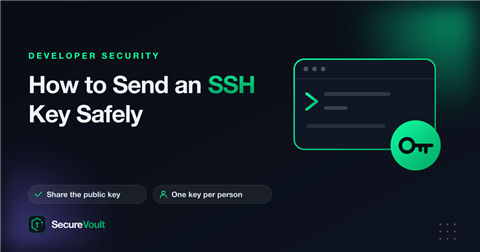
A teammate needs access to a server and asks you to send over “the SSH key”. It is a normal request, and it hides a mix-up that causes real incidents. An SSH key comes as a pair, and only one half is meant to be shared.
Public key and private key: which is which
- The public key is safe to share. It goes on the server, and it only lets the matching private key in.
- The private key is the secret. Whoever holds it can act as you on every server that trusts the pair.
Most requests for “the key” can be solved without ever sending a private key.
The best answer: do not send the private key
- Ask the person to generate their own key pair on their own machine.
- They send you the public key. It is not a secret, so any channel is fine.
- You add it to the server or to the access list of the service.
- When they leave, you remove that one public key and nobody else is affected.
This gives each person their own identity, makes it clear who did what, and means a leaver does not force a change for everyone else.
When you really must hand over a private key
Sometimes a vendor supplies a key file, a cloud provider gives you a .pem file once, or an automation needs a deploy key. If a private key has to move from one person or system to another:
- Protect it with a passphrase if the key type and the tool allow it.
- Send it as a one-time link that shows it once and then deletes it, not as an email attachment or a chat upload.
- Send the passphrase by a different channel, such as a phone call.
- Choose a short expiry so the link does not wait around.
- Ask the recipient to store it safely and to set strict file permissions, then delete the downloaded copy they no longer need.
- Rotate it afterwards if it was shared more widely than intended.
Where private keys go wrong
- Attached to an email or posted in a team chat, where it stays in history.
- Committed to a repository or copied into a shared drive.
- Left in a ticket for support to use.
- Shared between many people so nobody knows who owns it.
- Kept for years with no plan to replace it.
Good habits for keys
- Use one key per person and per purpose, not a single key for everything.
- Give each key a clear owner and a note on what it unlocks.
- Prefer keys that expire, or review and rotate them on a schedule.
- Remove keys from servers as soon as access is no longer needed.
- If a private key is ever pasted somewhere it should not be, treat it as compromised and replace it.
Frequently asked questions
Is it safe to send an SSH private key by email?
It is not a good idea. The key stays readable in mailboxes and backups. Prefer sending the public key, or a one-time link for a private key you cannot avoid sharing.
Can I share the public key openly?
Yes. A public key is designed to be shared, because on its own it cannot be used to sign in.
What if a private key was already pasted in a chat?
Replace the key pair, remove the old public key from every server, and delete the message where you can.
Do I need an account to send a one-time link?
No. A one-off text secret does not need an account. Passphrases, view limits and longer expiry are available when you create secrets while signed in.
Hand over a key without leaving a copy
When a private key has to move, make sure it does not sit in a chat or an inbox afterwards. By default, SecureVoult shows a secret once and then deletes it.
Keep reading:
Share a secret now
Create a one-time, self-destructing link in seconds. No account needed.
Create a secret link