Should You Add a Passphrase to a Secret Link?
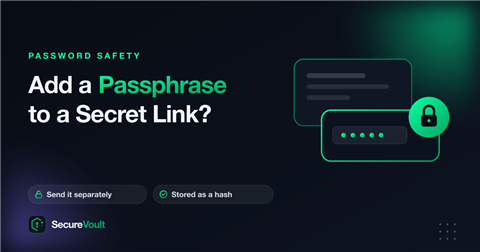
A one-time link already limits the damage if someone sees it: the first person to open it gets the secret, and then it is gone. A passphrase adds a second lock. Whether you need it depends on where you send the link and who else might see it on the way.
What a passphrase actually does
With a passphrase set, opening the link is not enough. The recipient must also type the passphrase before the secret is shown. Someone who finds the link in a mailbox or a chat history, but does not know the passphrase, cannot read the secret. On SecureVoult the passphrase is stored only as a one-way hash, so it is not kept in a readable form.
The catch: how you send the passphrase
A passphrase protects you only if it travels separately from the link. If you paste both into the same email or chat message, anyone who can read that message has both locks, and you have gained nothing. Use a different channel for each:
- Link by email, passphrase by text message or a phone call.
- Link in a chat message, passphrase read out on a call.
- Link in a ticket, passphrase agreed earlier in person or in a previous conversation.
When a passphrase is worth adding
- The link will sit in a shared place. A team channel, a shared inbox or a support ticket can be read by people who are not the recipient.
- The secret is high impact. Production credentials, admin logins and signing keys deserve the extra step.
- You cannot be sure when it will be opened. The longer a link is waiting, the more it benefits from a second lock.
- You are sending to someone outside your company. You have less control over their inbox and devices.
When you can skip it
- The recipient is on a call with you and opens the link straight away.
- The secret is low value, short-lived or about to be changed anyway.
- You have no second channel. A passphrase sent in the same place as the link is only extra typing.
Choosing a good passphrase
- Make it something you can say aloud easily, such as three unrelated words.
- Do not reuse a password the recipient already has, or one tied to the secret itself.
- Do not hint at it in the message that carries the link.
- Use a fresh passphrase for each secret.
What a passphrase does not do
- It does not replace changing the password afterwards. Rotate anything sensitive once the work is done.
- It cannot be recovered. If the recipient forgets it, create a new secret.
- It does not make a stolen link safe if the passphrase leaks as well.
Frequently asked questions
Is a passphrase required on a secret link?
No. It is optional. The link already shows the secret once by default and then deletes it. A passphrase is an extra layer for cases where the link could be seen by others.
Can I send the passphrase in the same message as the link?
You can, but it defeats the purpose. Send it through a different channel, such as a phone call or text message.
What if the recipient forgets the passphrase?
Create a new secret with a new passphrase. The old secret cannot be opened without the right passphrase.
Do I need an account to use a passphrase?
You do not need an account for a one-off text secret. Passphrases, along with view limits and longer expiry, are available when you create secrets while signed in.
Add the second lock when it counts
For credentials that matter, set a passphrase when you create the secret and send it through another channel. By default, SecureVoult shows a secret once and then deletes it, so nothing is left behind in email, chat or tickets.
Keep reading:
Share a secret now
Create a one-time, self-destructing link in seconds. No account needed.
Create a secret link