What to Do If an API Key Leaks in a Git Repository
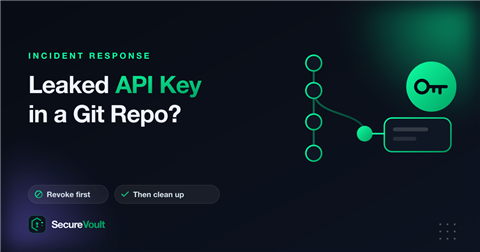
It happens to experienced developers too: a .env file gets committed, a key is pasted into a config, and the push goes through before anyone notices. The important thing is the order of what you do next. Cleaning up the repository feels urgent, but it is not the first step.
Assume the key is already copied
Once a key has been pushed, treat it as exposed, even if the repository is private and even if you delete the commit a minute later. Clones, forks, CI logs, pull request pages and automated scanners may already have a copy. Deleting the commit does not undo that. So the key itself has to be made useless.
What to do, in order
- Revoke or rotate the key. Go to the provider, disable the leaked key and create a new one. This is the step that actually ends the risk.
- Check for misuse. Look at the provider’s usage logs and billing for activity you do not recognise, starting from the time of the first push.
- Deploy the new key. Put it in your secret store or environment settings, not in the code, and confirm the application still works.
- Remove the key from the code. Replace the hard-coded value with a reference to an environment variable or secret.
-
Clean the history if it is worth it. Tools such as
git filter-repocan rewrite history, but everyone with a clone must re-sync, and old copies may still exist. Since the key is already revoked, this is tidy-up, not protection. - Tell the people who need to know. Your team, and the owner of the account or service the key belonged to.
Things that do not fix it
- Deleting the file in a new commit. The key is still in the history.
- Making the repository private after the fact.
- Force-pushing and hoping nobody pulled in the meantime.
- Waiting until the next release to rotate it.
Check the rest of the blast radius
- Did the key give access to production data, or only to a test account?
- Was the same key reused in other projects or environments?
- Does the commit contain other secrets, such as database passwords or tokens?
- Did the key end up in logs, build artefacts or container images?
Stop it happening again
-
Add
.envand similar files to.gitignorefrom the first commit. - Use a pre-commit or CI secret scanner so a key is caught before it is pushed.
- Give each key the smallest permissions it needs and a clear owner.
- Share keys with teammates and contractors through a one-time link instead of pasting them into chat, tickets or files that end up in the repository.
- Rotate keys on a schedule, so a forgotten copy goes stale.
Frequently asked questions
Is a leaked key safe if the repository is private?
Not necessarily. Anyone with access, every clone and any connected tool can still read it. Rotate the key regardless.
Do I need to remove the key from Git history?
Revoking the key matters most. Removing it from history is good hygiene, but it will not help if copies already exist, so do it after the key is revoked.
How do I know if someone used the key?
Check the provider’s access logs, usage graphs and billing for requests you do not recognise, starting from the time of the first push.
What is a safer way to pass a key to a teammate?
Send it as a one-time link that shows the key once and then deletes it, rather than pasting it into a file, message or ticket.
Share keys without leaving a copy
Many leaks start with a key being copied from one place into another. By default, SecureVoult shows a secret once and then deletes it, so a key you send to a teammate does not linger in email, chat or a repository.
Keep reading:
Share a secret now
Create a one-time, self-destructing link in seconds. No account needed.
Create a secret link